Housekeeping Scheduling
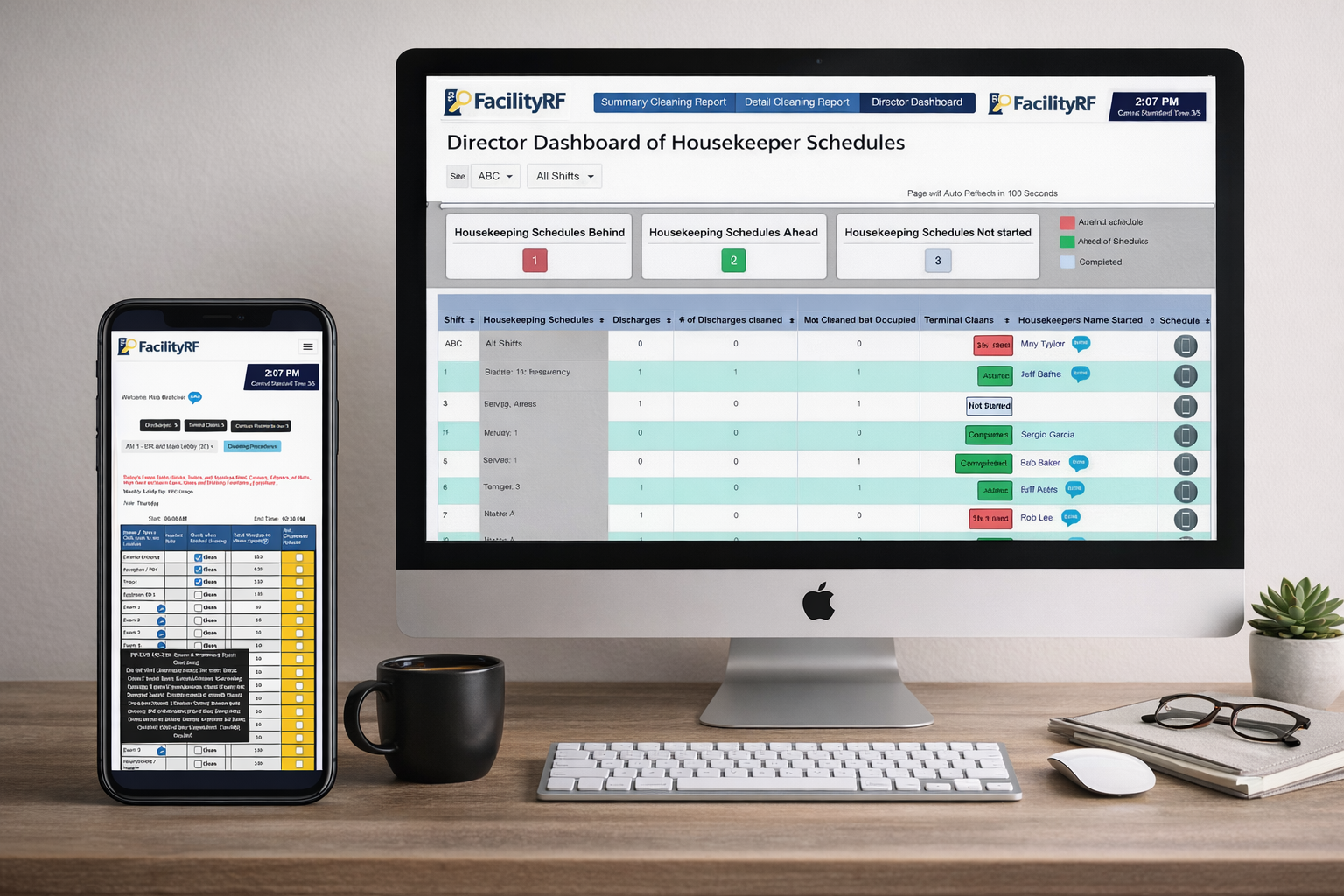
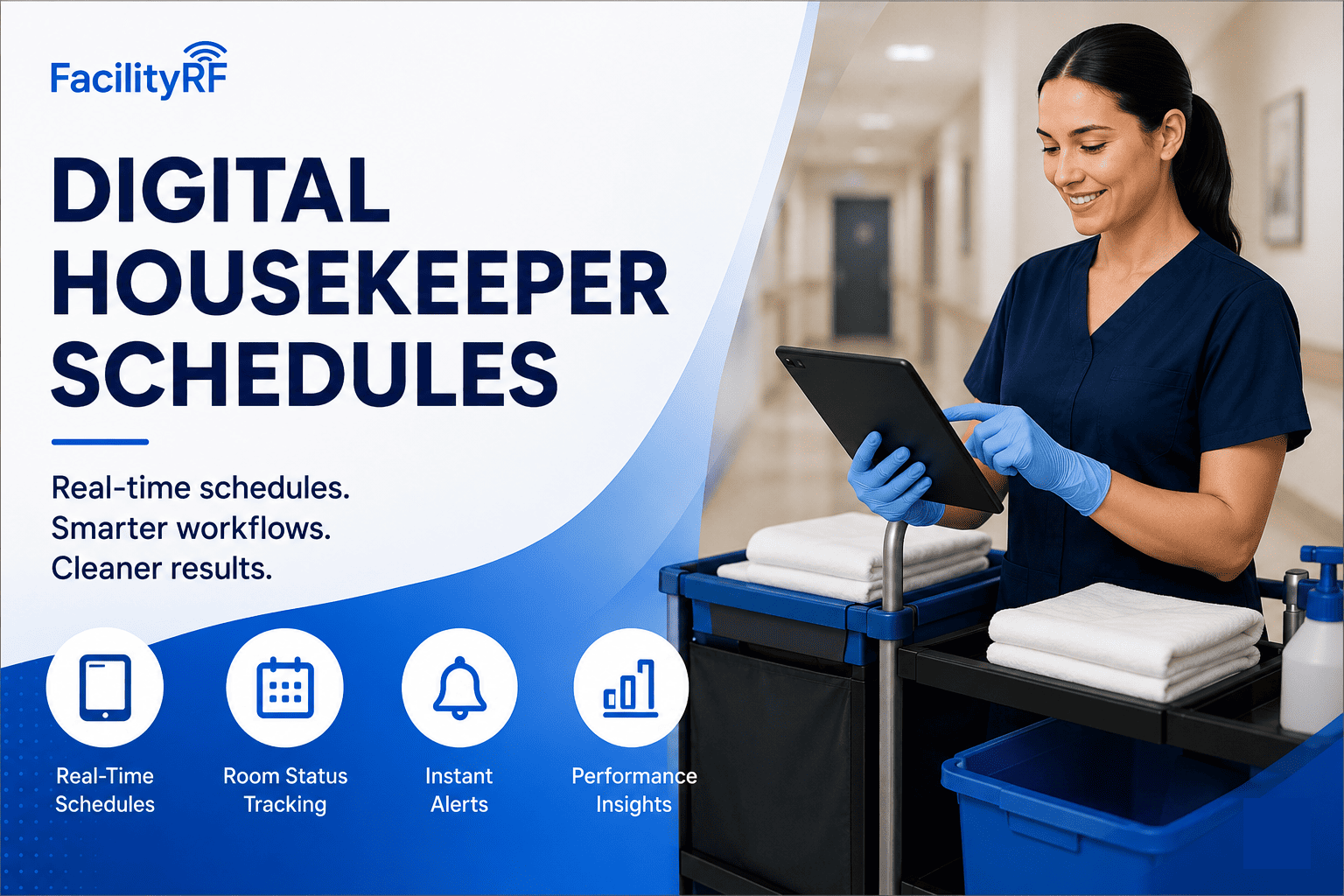
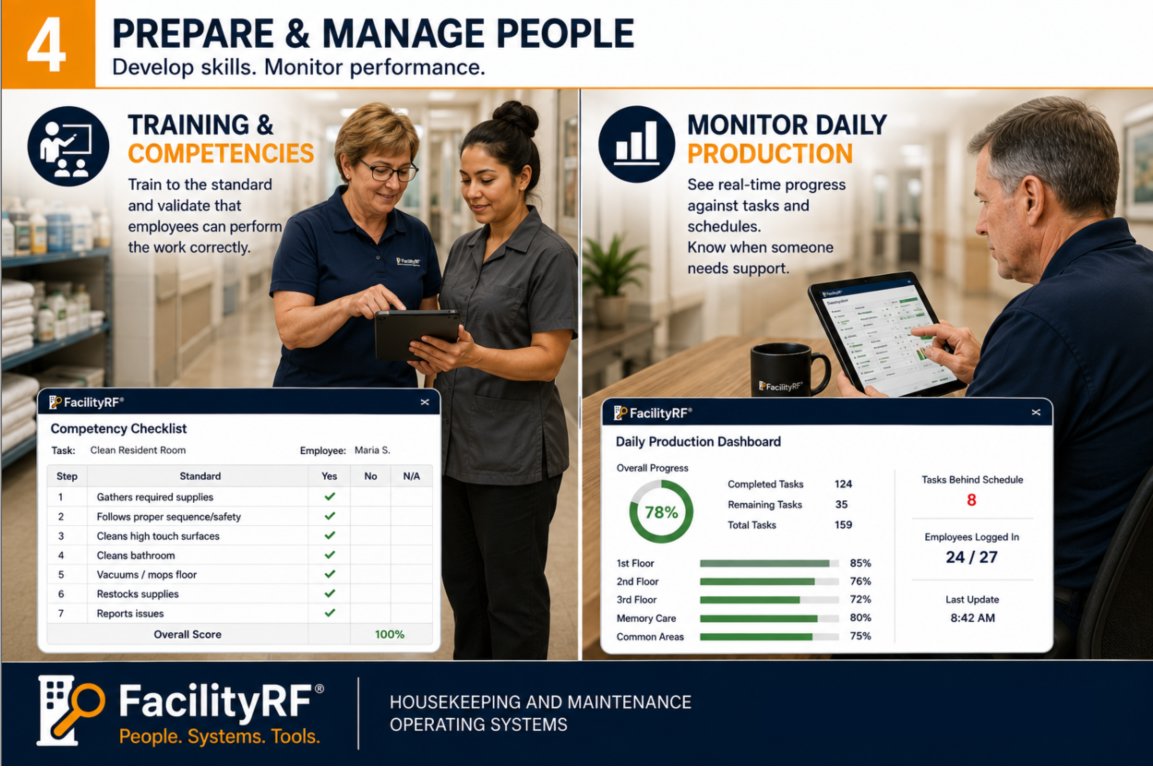
Housekeepers can use inexpensive tablets to view and checkoff space as they are cleaned on their schedules. As the space is being cleanded, directors can evaluate the progress of their staff in real time to ensure the space is being cleaned on time throughout the day.
FacilityRF uses algorithms to define how long each unique space type based on (Square Feet, Space Type, number of fixtures, and type of floor) should be cleaned.
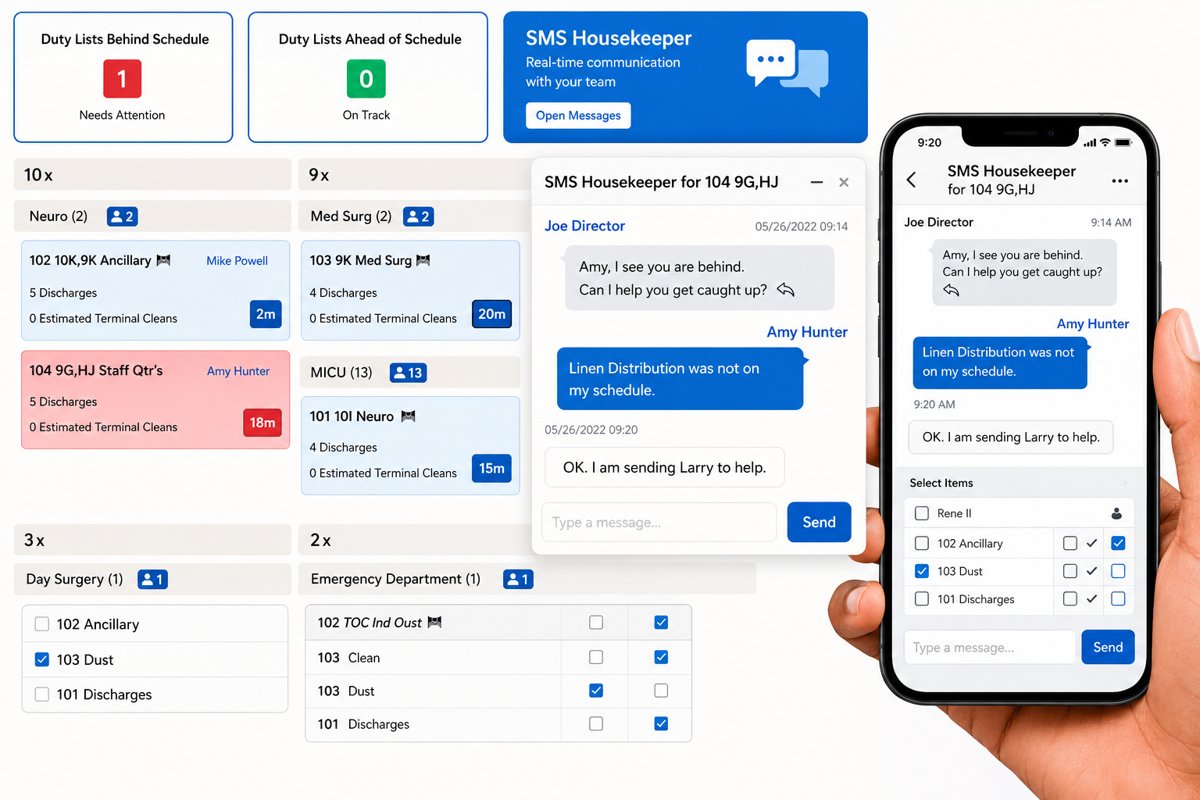
FacilityRF also has an internal 2 way messaging communication feature from the Director Dashboard and Housekeepers from their digital cleaning tablets
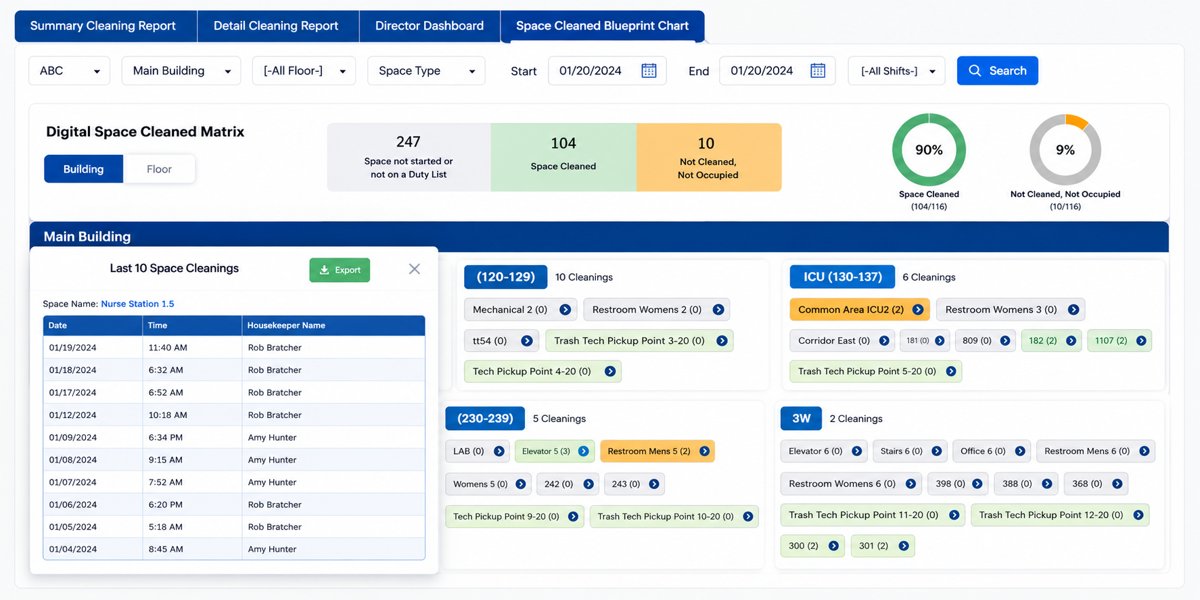
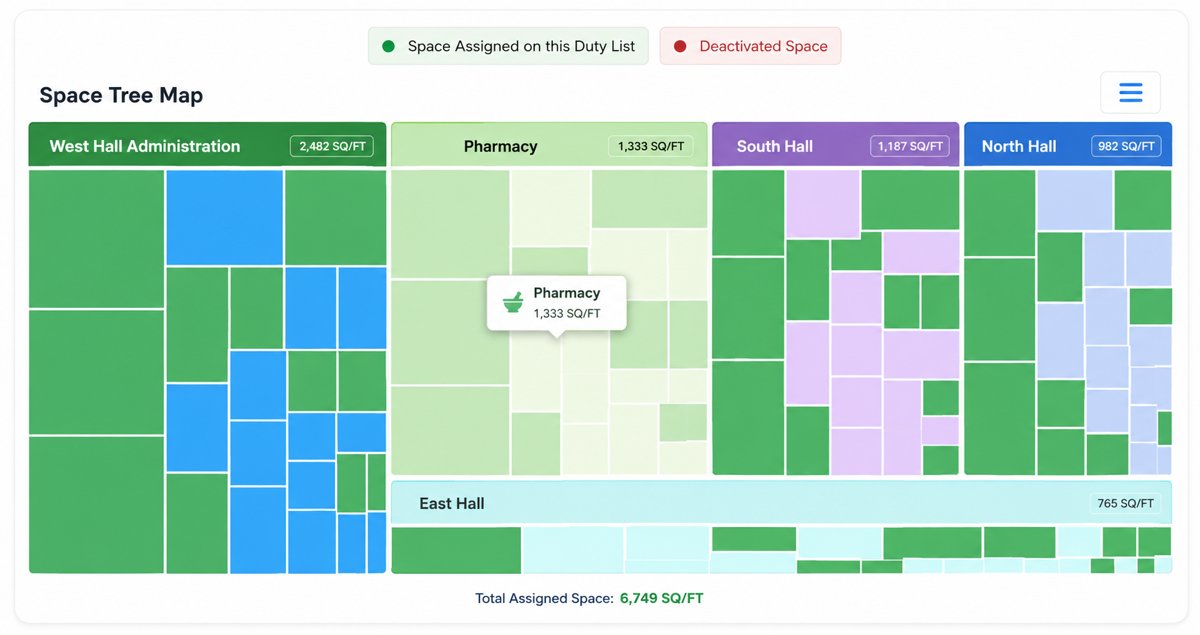
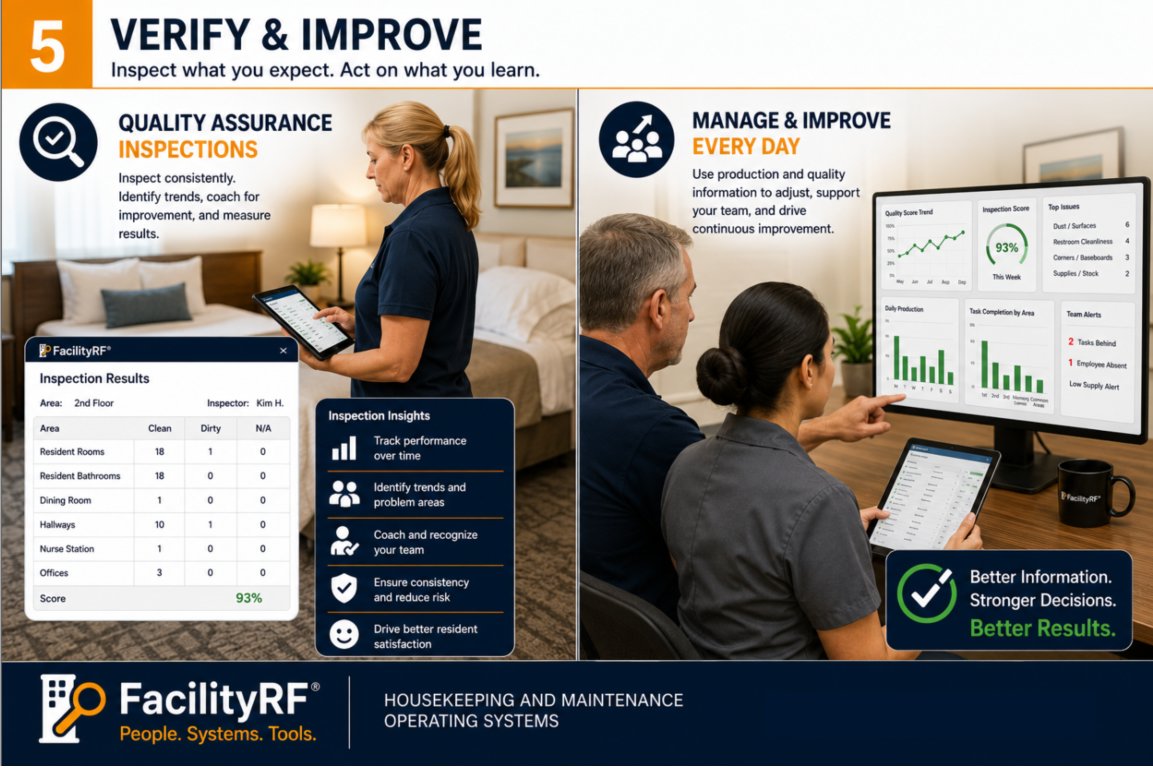
This Space blueprint chart helps confirm to clients and Joint Commission the coverage of rooms cleaned, the frequency of days it was cleaned and which associate cleaned the space.
This chart also confirms what percentage of the space is cleaned over a certain time frame and to identify rooms that have not been cleaned or not cleaned because the space was deactivated or not cleaned because it was not occupied.
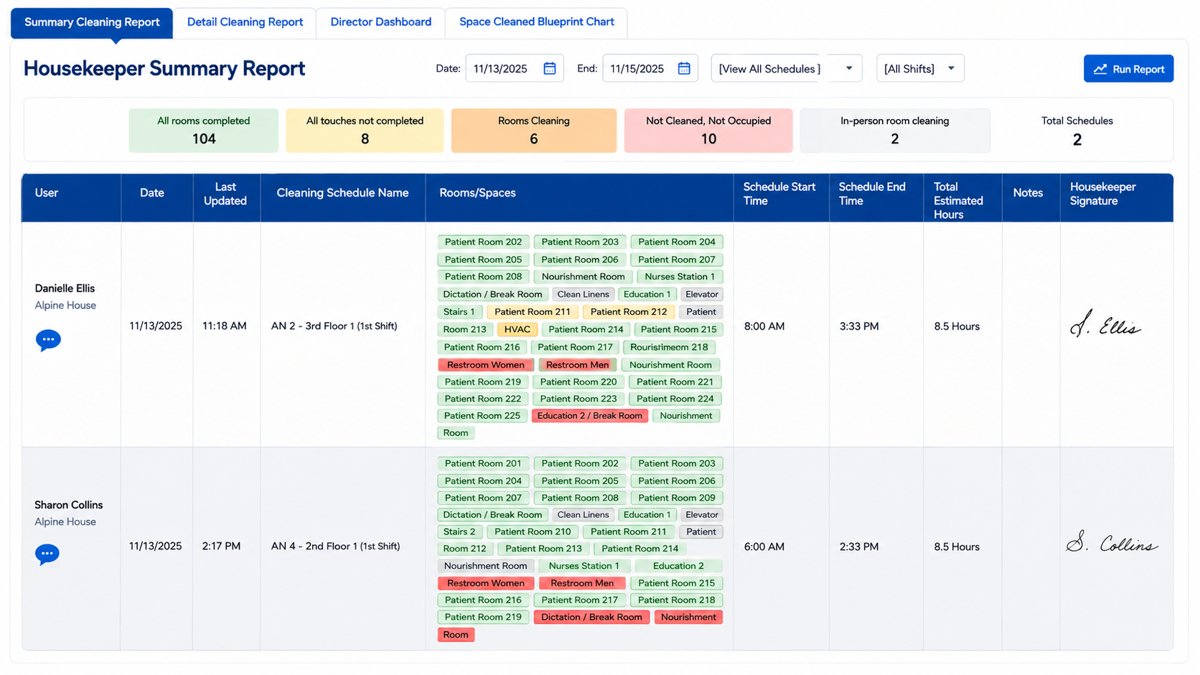
Managers can run a historical cleaning report to view the details of the space cleand by the housekeeper.
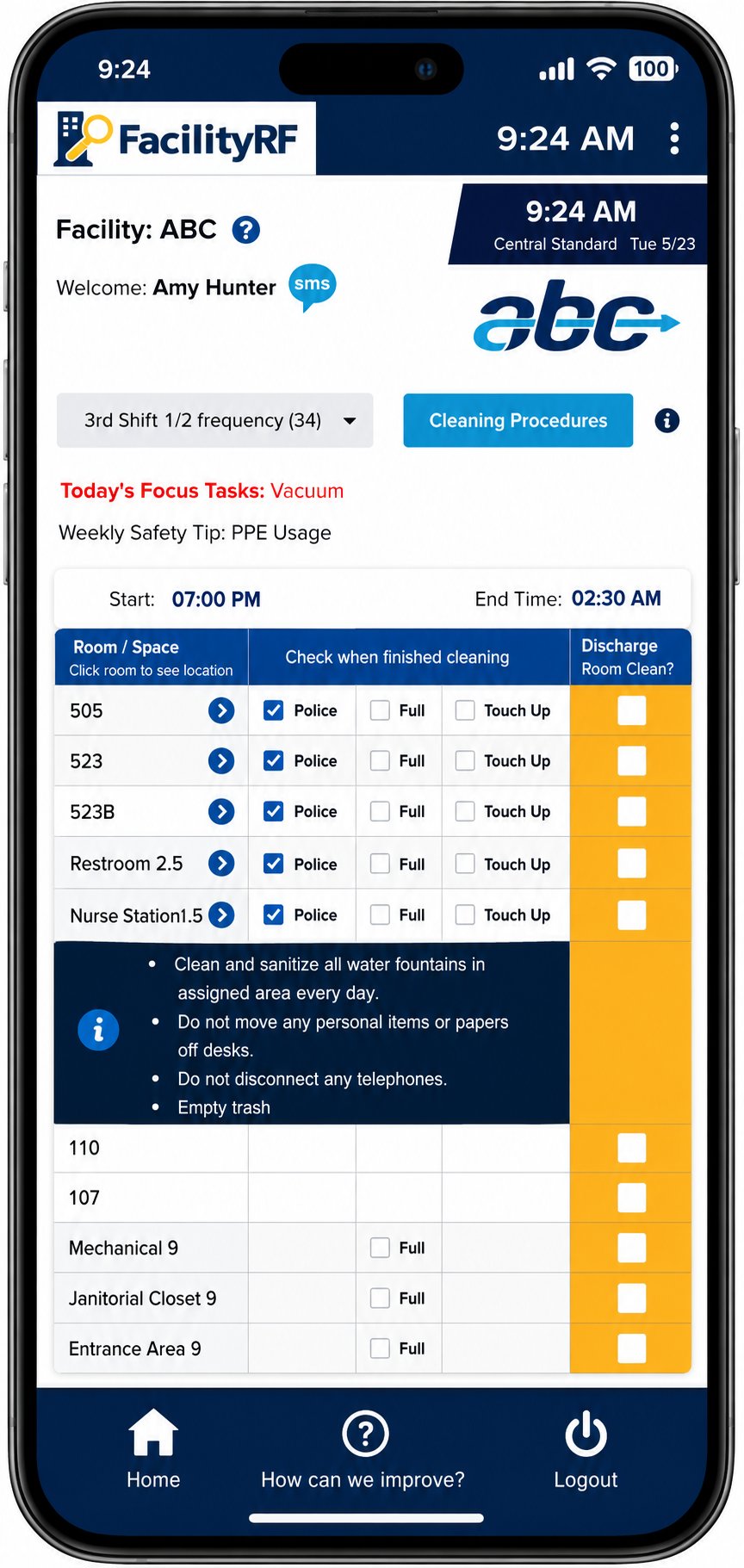
Housekeepers can access your custom cleaning protocols by clicking on the Space Name to use as a guide to properly clean each unique space type.
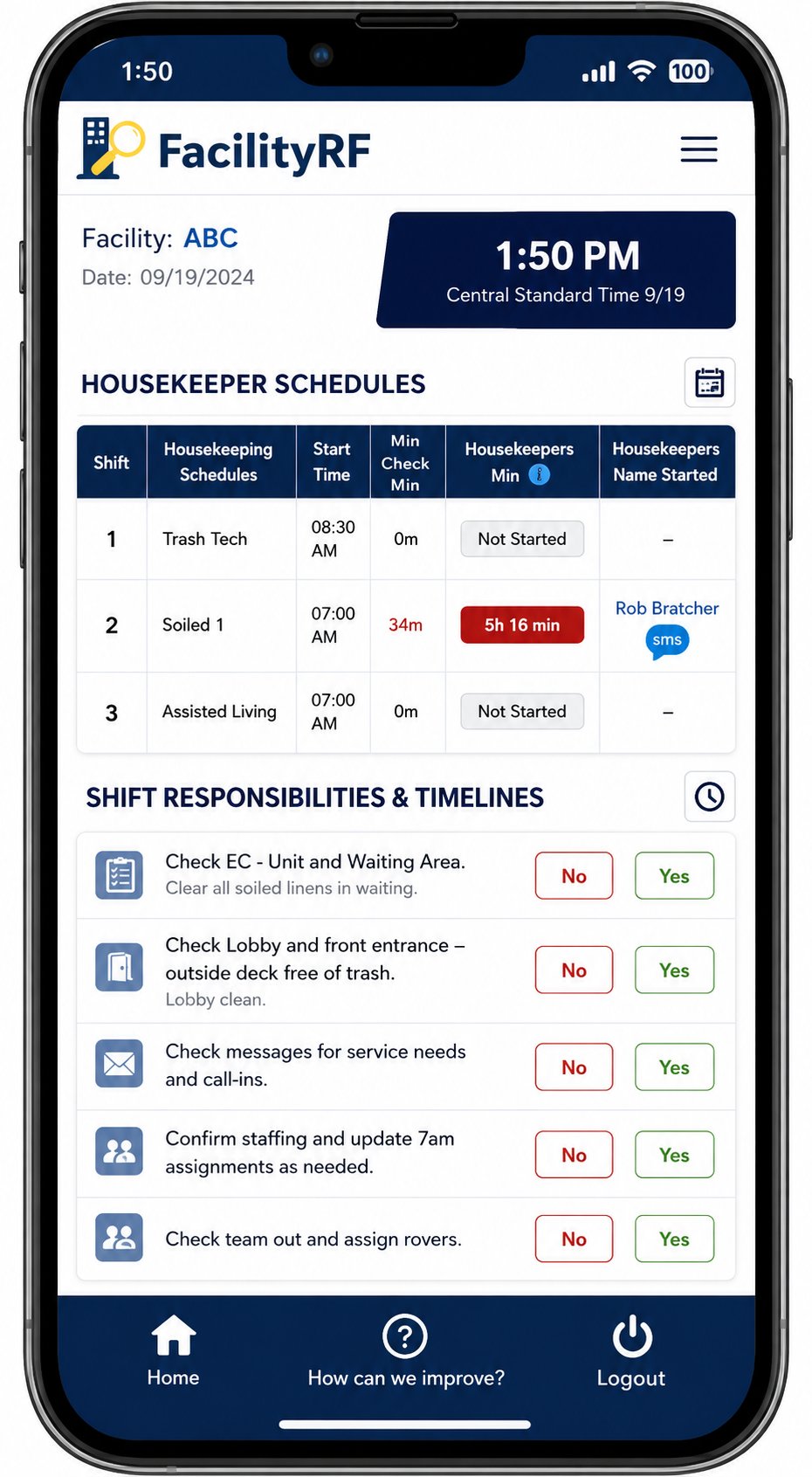
Leaders can setup and cusomize daily tasks for supervisors to check off tasks as they are completed. FacilityRF tracks the time and date of the items completed to ensure these needs are being met and the work is then validated.
Reliable 7" Android tablets can be purchased on Amazon for around $40.
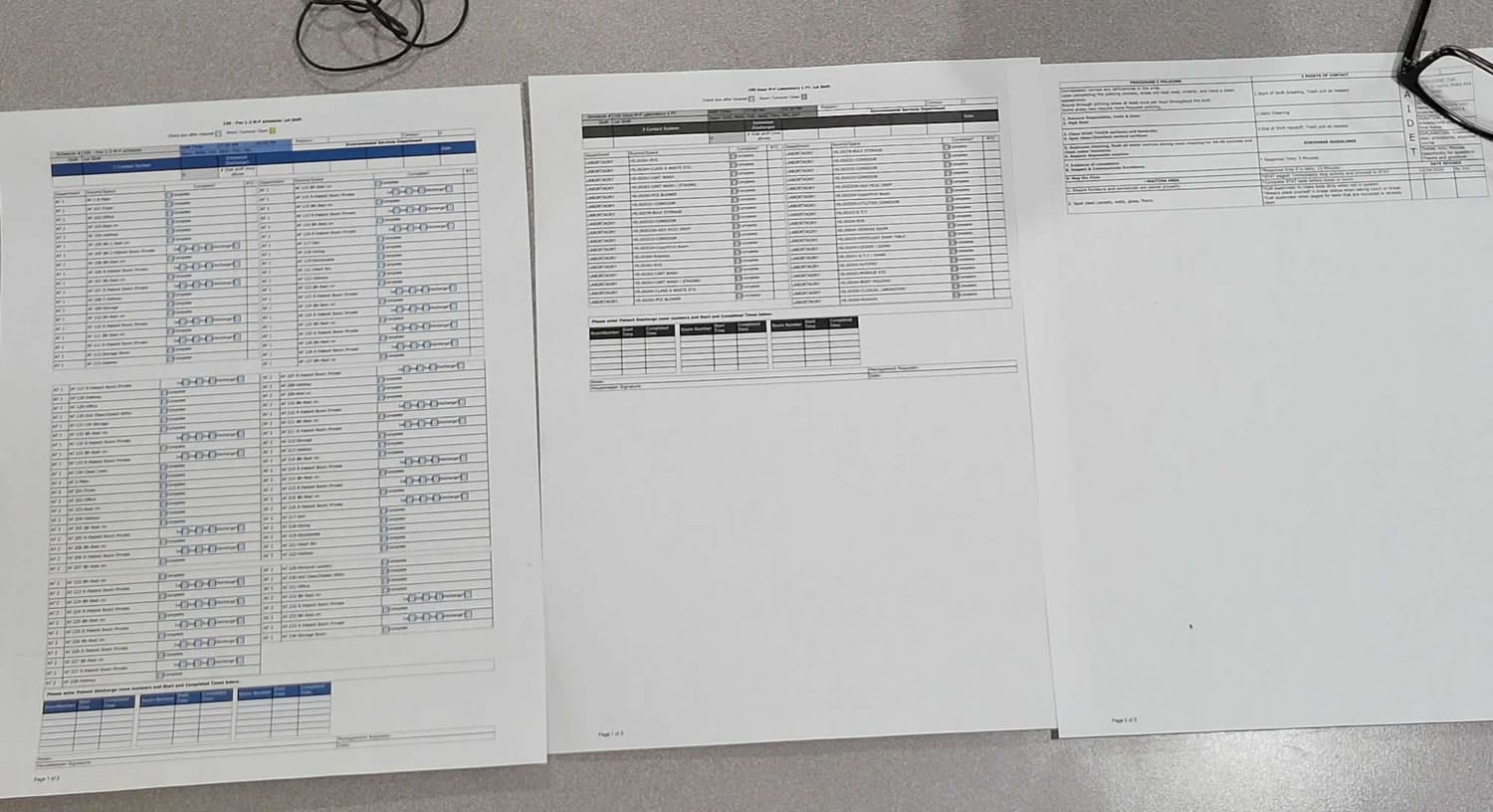
If tablets are not available, housekeeper schedules can be printed off and distributed to housekeepers to check off space as they are cleaned and returned to the director.
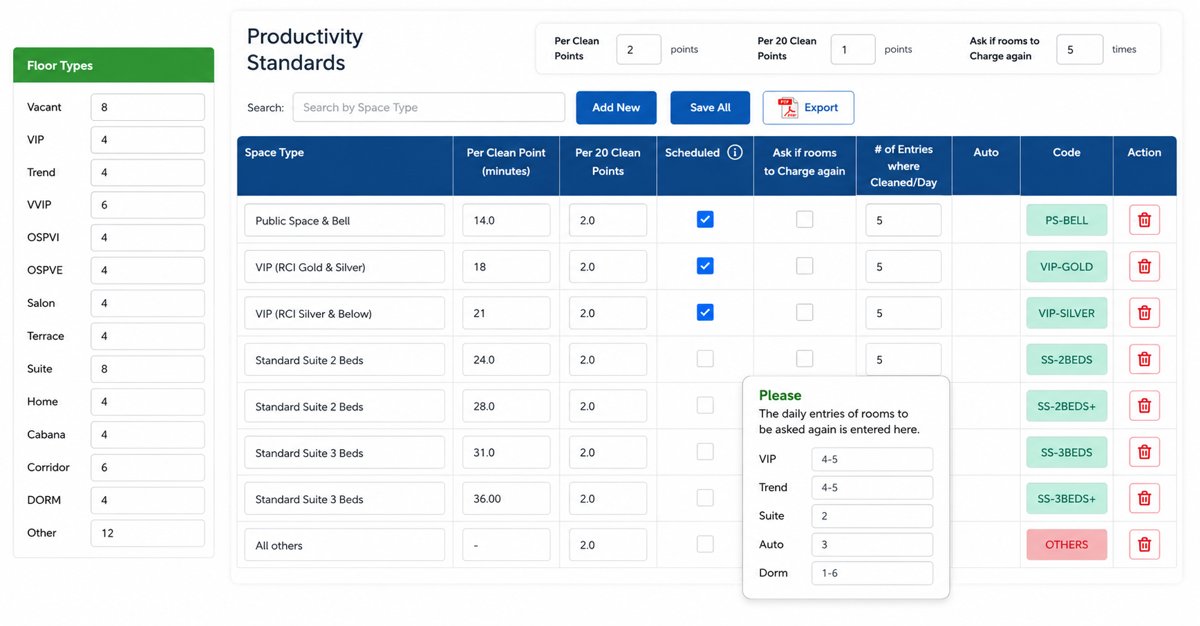
Identifying the average time to clean a unique space type, type of fixture and floor type can help right size housekeeping schedules.
Productivity Standards and Metrics per Process can be tailored to your specific needs based on time to clean space by Space Type, number of fixtures, floor type, and any other metrics that your company uses to calculate the time it takes to clean a space.
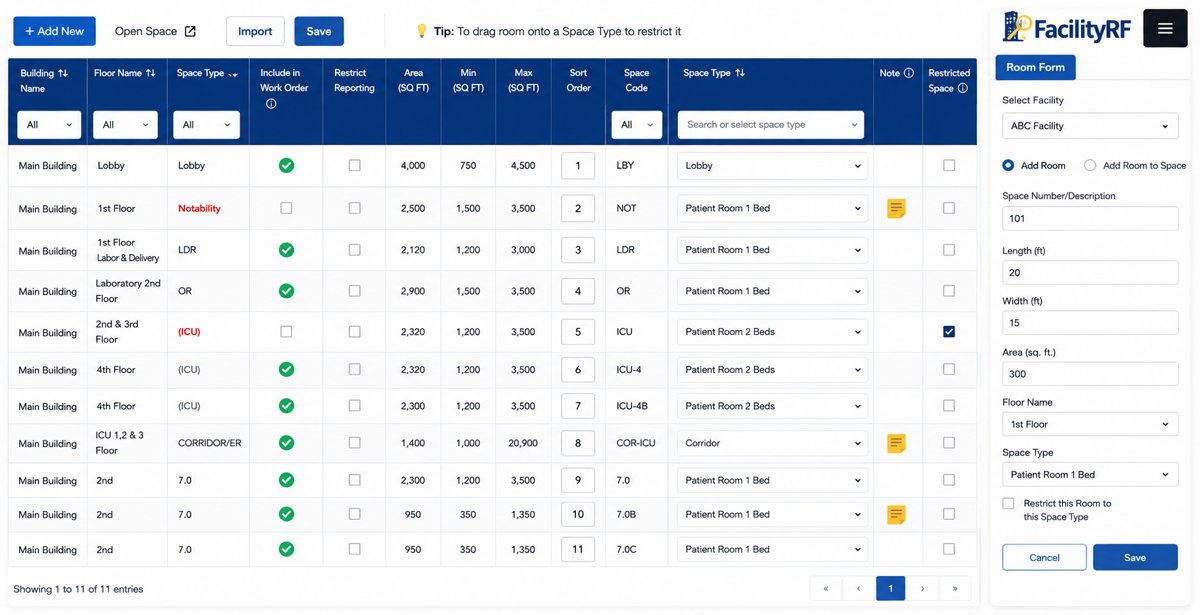
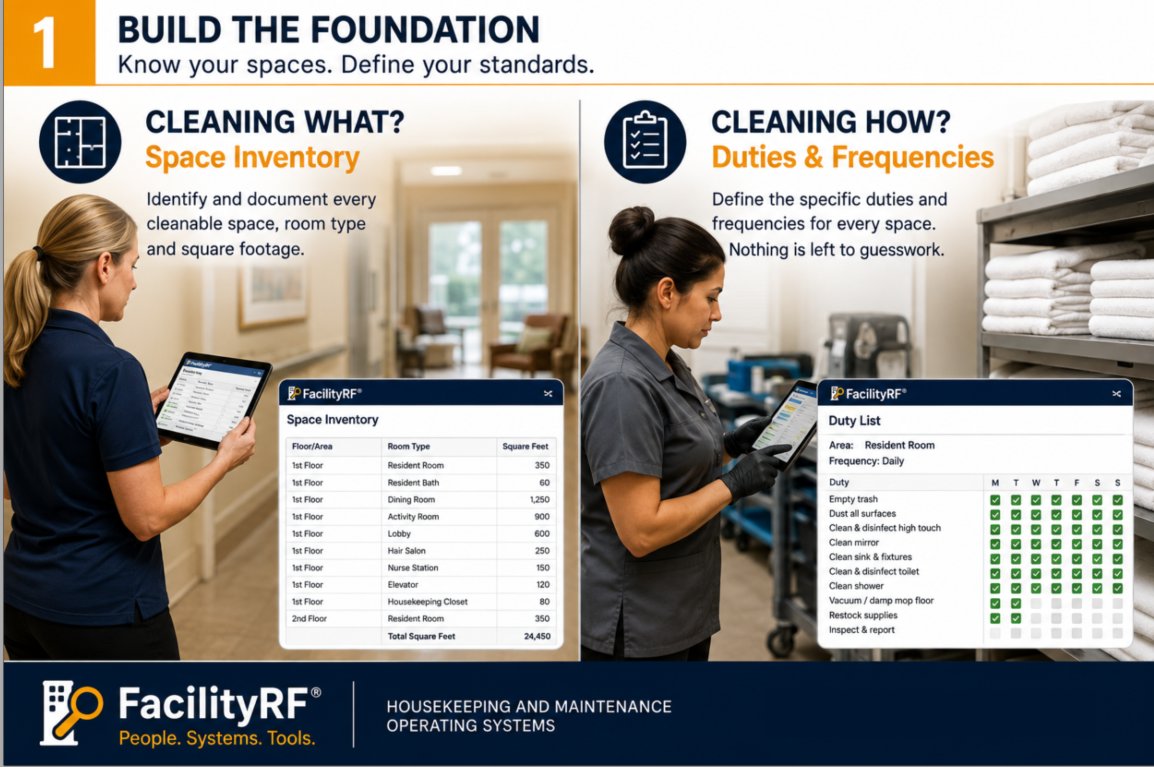
Adding each room or space to be cleaned along with square footage, number of fixtures and floor types can help right size housekeeping schedules.
We have a mobile friendly way to add space directly to the DB as a user is unitizing in the field. Cloning space of same blueprint rooms can also saves time. Space can easily be exported to Excel to make changes and then reimport. Each space can easily be added to a large floor cleaning project or decativated as needed.
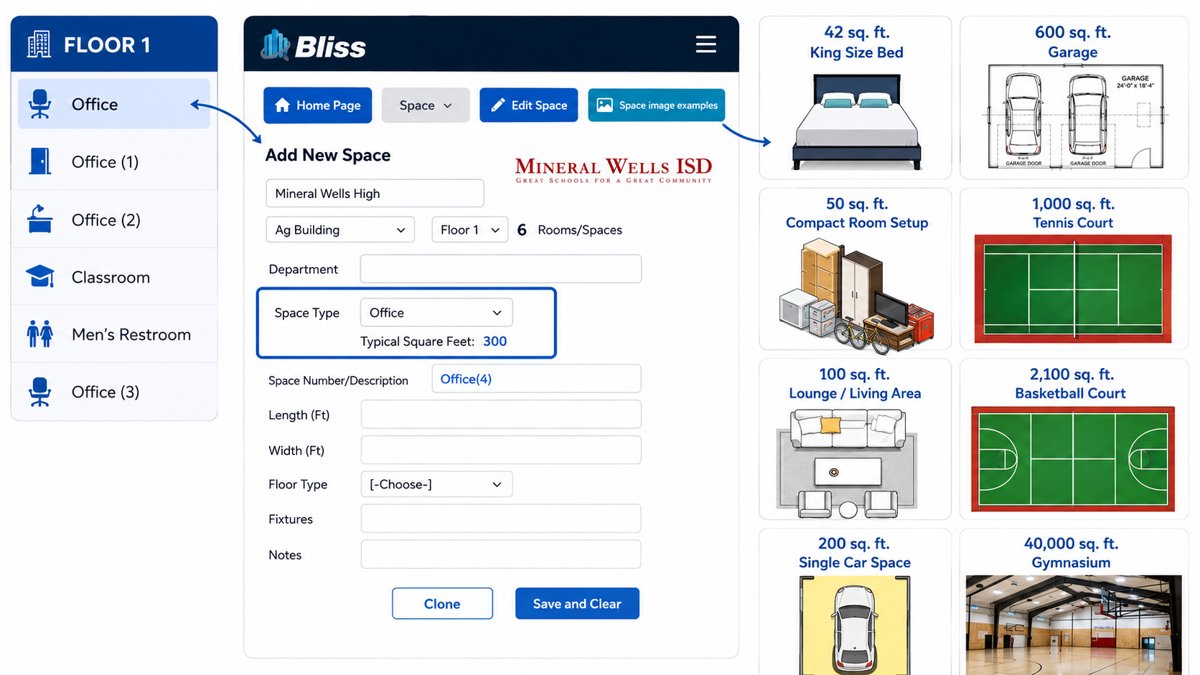
An admin can create BY Facility TYPICAL Square Feet for each Space Type. So if you notice at the bottom, we have a cloning feature to clone for example 4 classrooms the same size in sequential order. But this does not always happen to ID space in order to use the Cloning Feature. But with the Typical Square Feet Feature if is much easier.
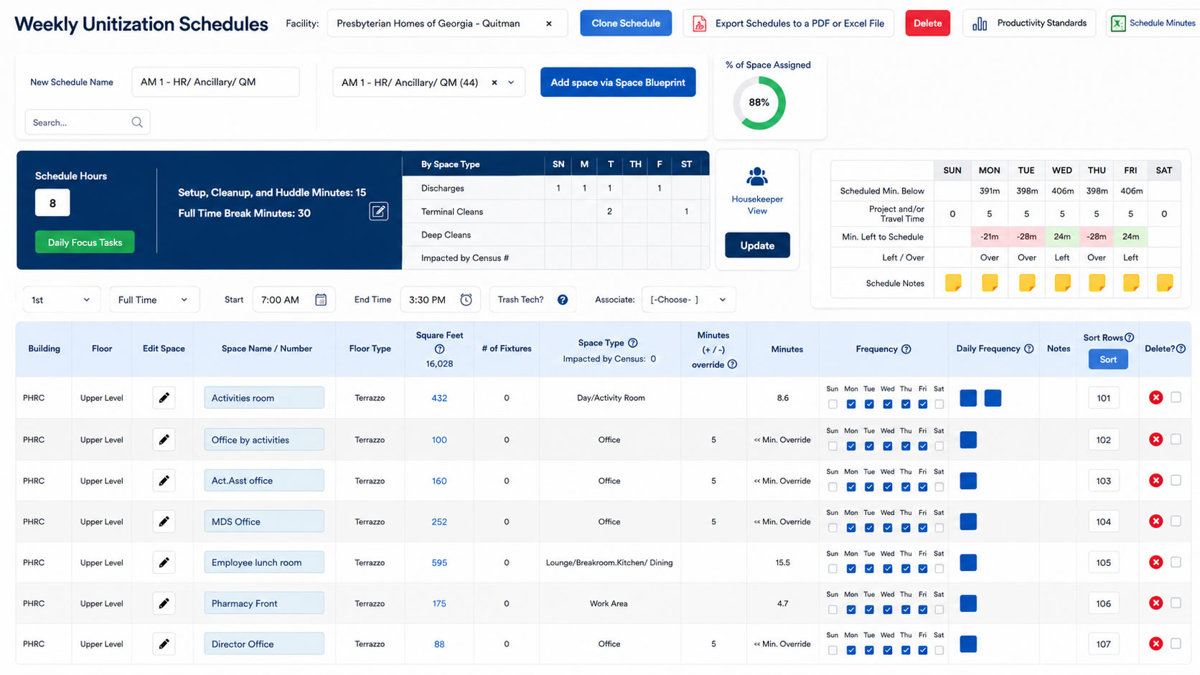
This process right sizes labor and ensures that the entire builidng is contracturally right sized to be cleaned and easily confirm to clients of the entire space that is to be cleaned.
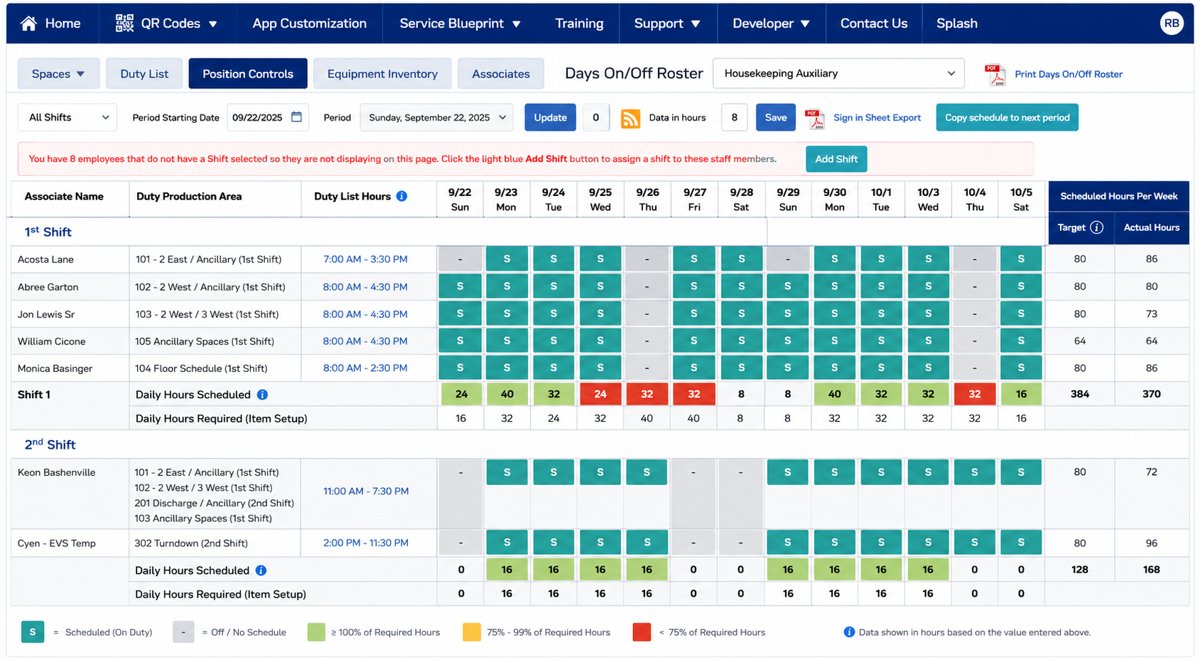
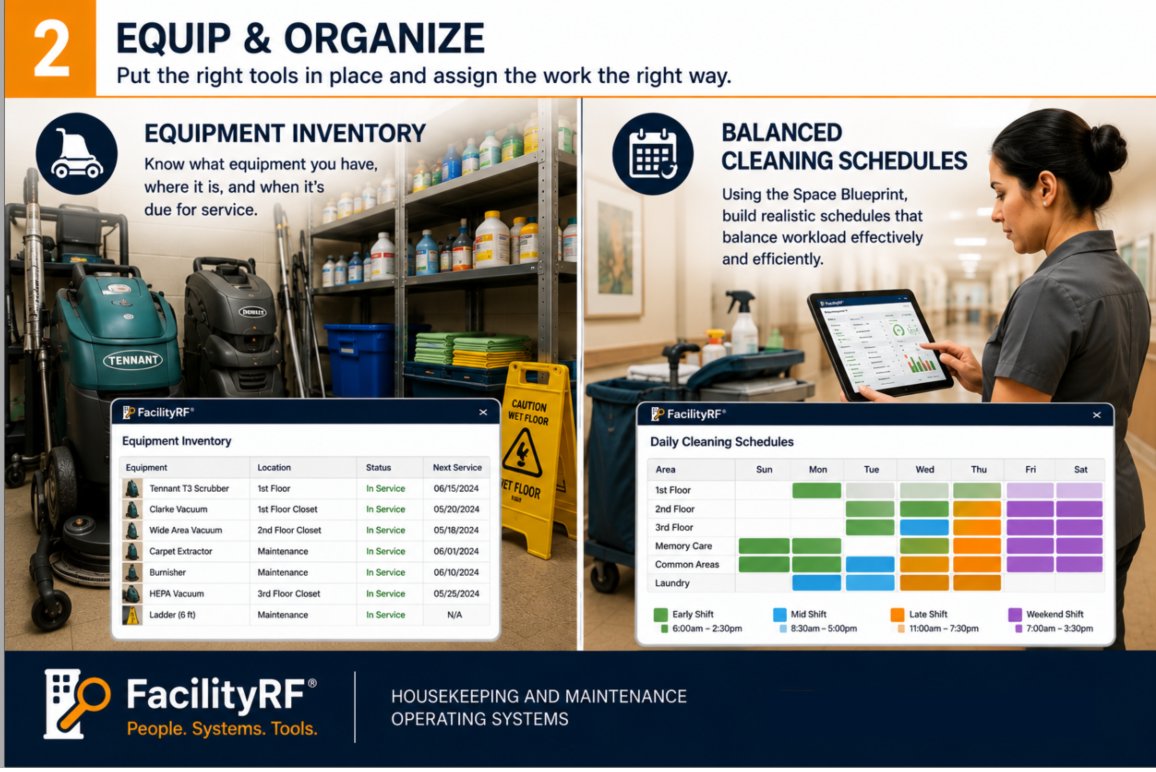
Daily cleaning schedules are built for housekeepers for all shifts to fit exactly into the hours worked for a housekeeper to complete a daily shift.
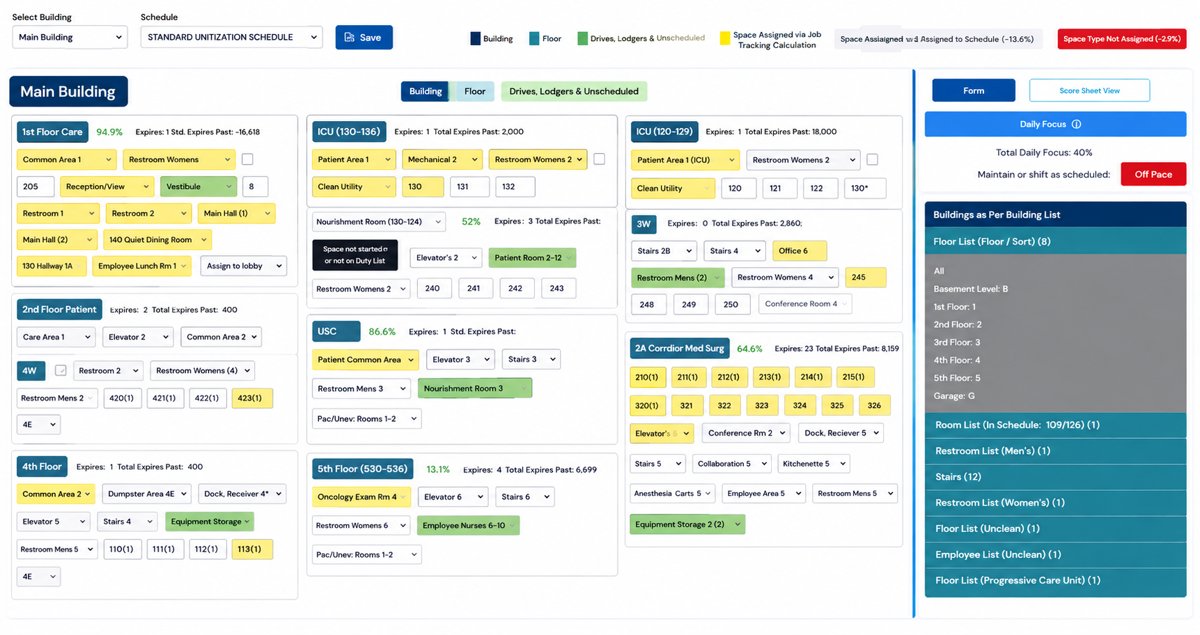
Save time building unitzation schedules and to ensure you are right sizing your labor to clean your facility.
FacilityRF provides a fast and easy tool to help build unitzation schedules. A housekeeper schedule is displayed on the right section ready for directors to add space. On the left side space is organized by building, and floor that can be selected one by one that then populates on the schedule in the order that the spaces are selected or should be should be cleaned.
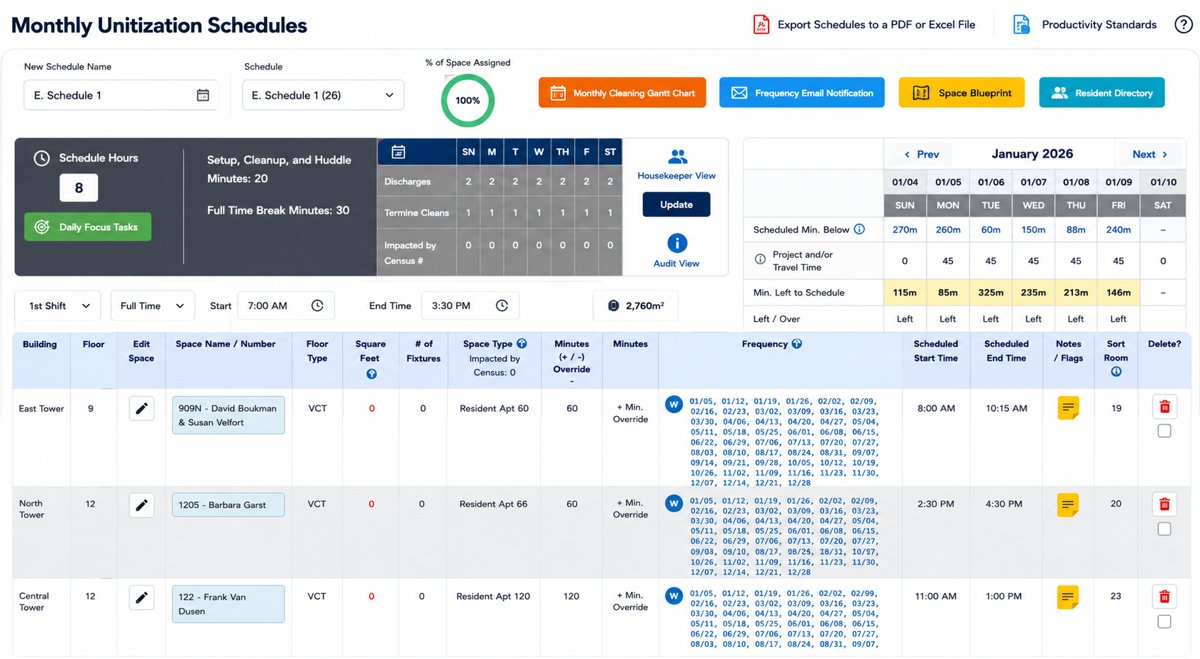
Managers can add multiple dates to schedule start and end times for resident room cleans. Emails can be sent out to users to alert them that there are no more room cleans scheduled for a specific dorm or resident. The housekeeper only sees the rooms to be cleaned for the current day and the scheduled times for each resident.
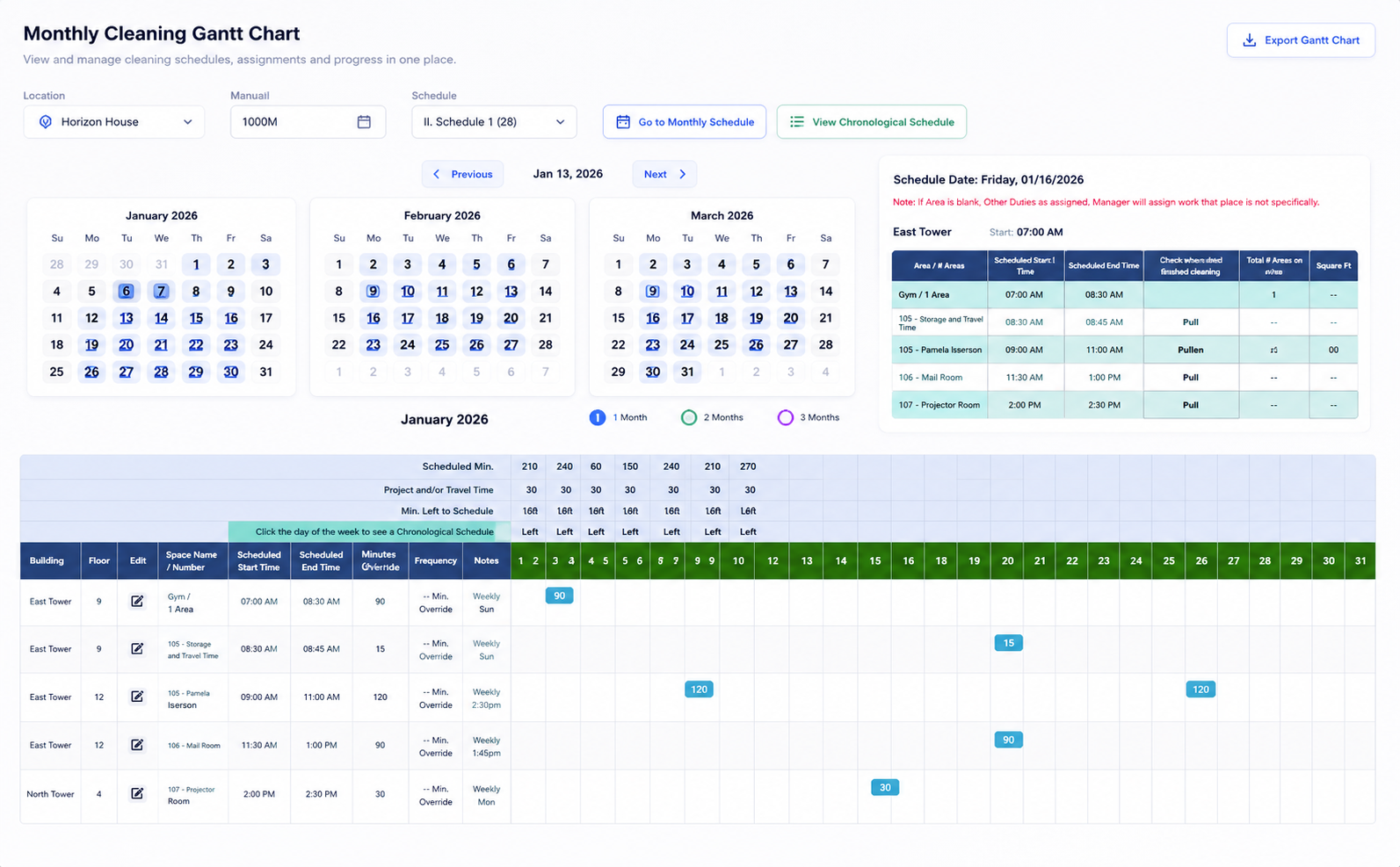
Managers can easily add multiple dates to schedule start and end times for living quarter cleans. Emails can be sent out to users to alert them that there are no more room cleans scheduled for a specific space. The housekeeper only sees the spaces to be cleaned for the current day and the scheduled times that the resident expects.
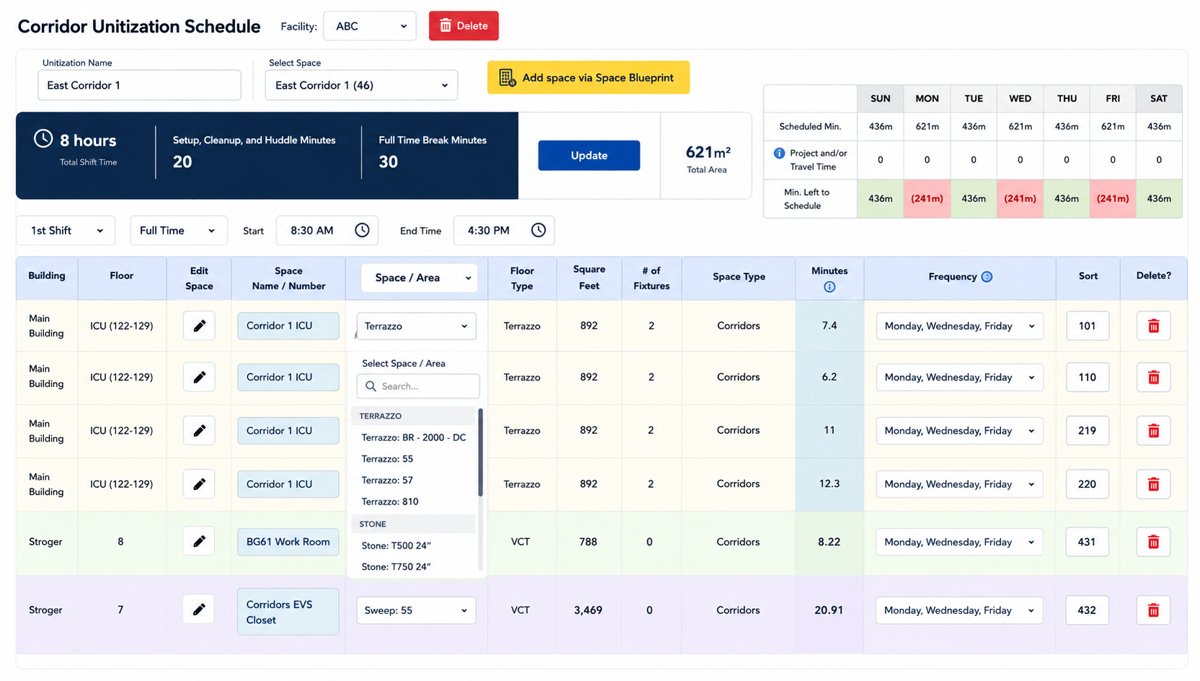
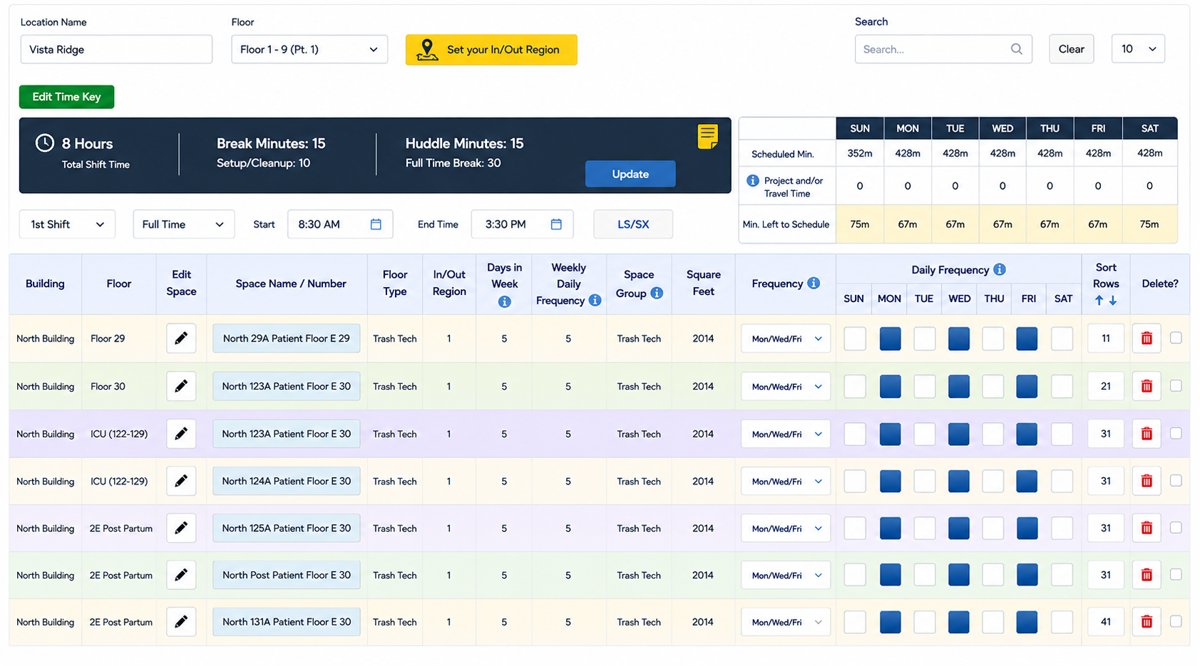
Tasks and task times can be customized by site to create a right sized schedule for floor techs
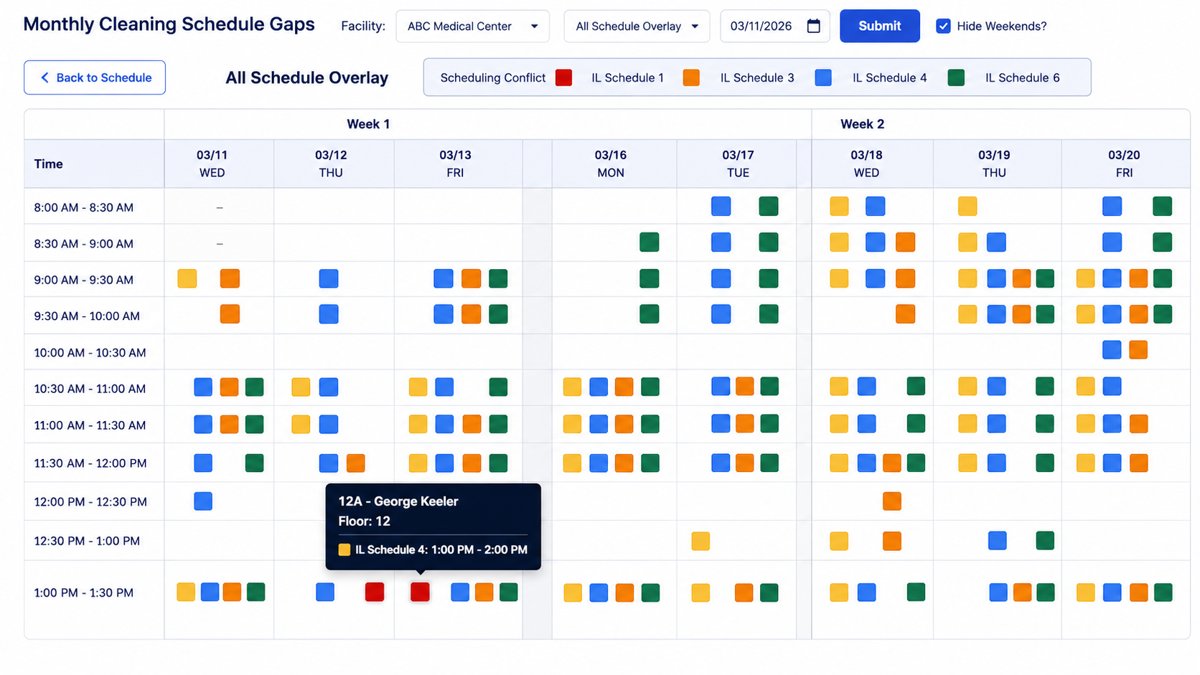
This is a view of the resident cleanings scheduled for the month. This view exposes gaps in cleaning schedules that a user can click a room to change the start and end times or move to another schedule. This view also highlights in red any scheduling conflicts.
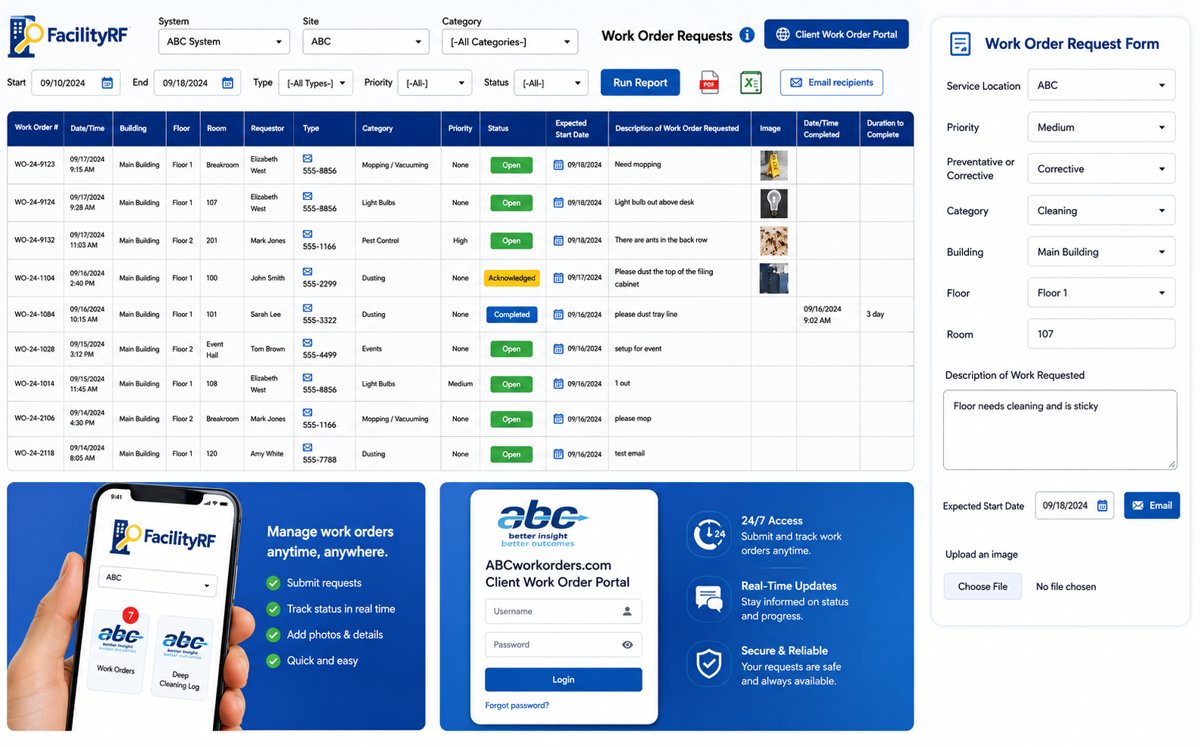
A mobile friendly way for clients and staff to submit work orders to a specific location in the facility. Auto emails keep the client informed of progress and resolution. Custodians are alerted in real time when tickets are submitted and much better charting and analytical tools to track and improve turnaround times.
Guests, patients, or, staff can request a cleaning or request supplies by scanning QR codes around a facility
Custom SMS or email alerts can be setup for your staff to go to the location, resolve the issue or fill supplies and then rescan the same QR code to close out the request that logs response time.
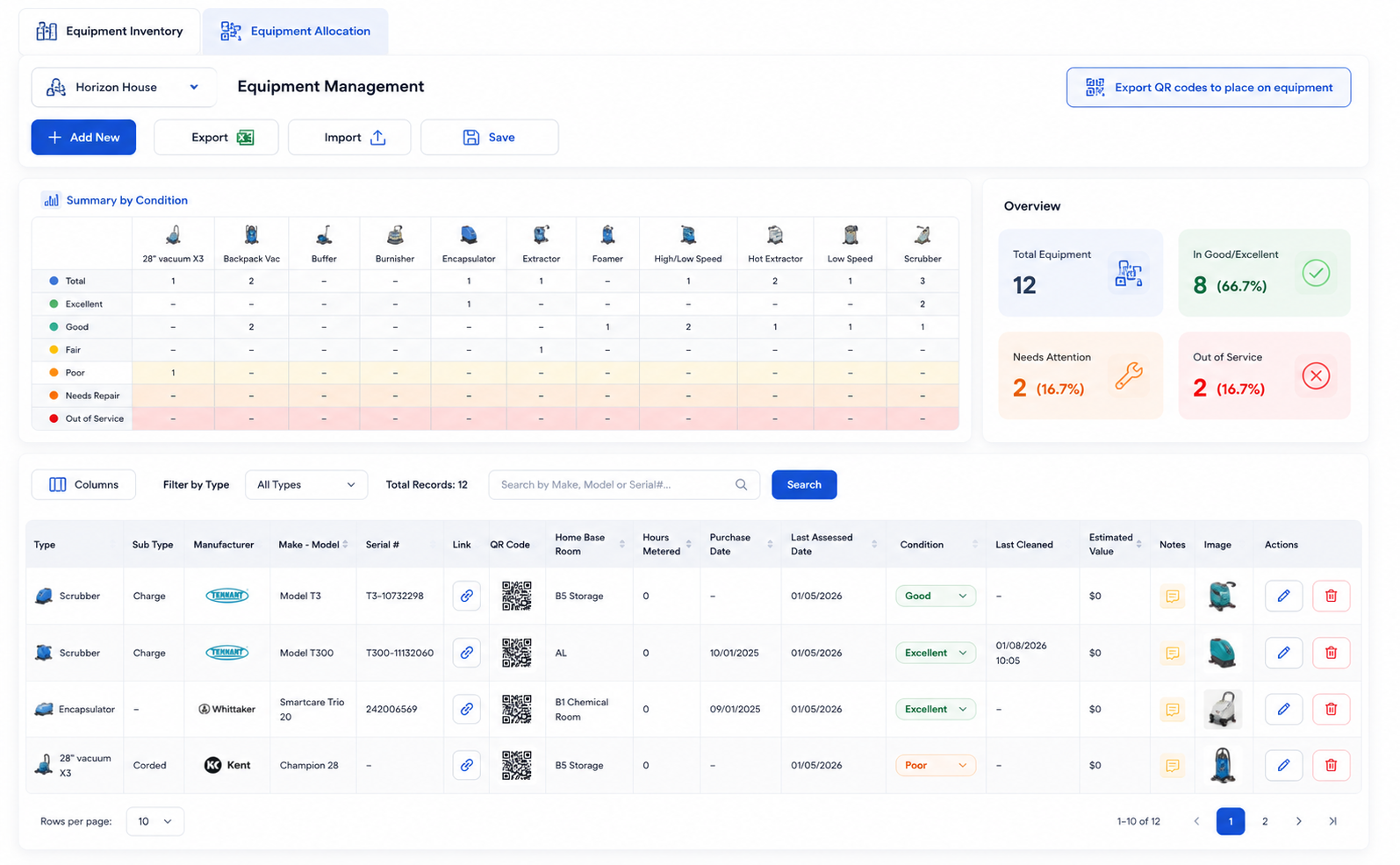
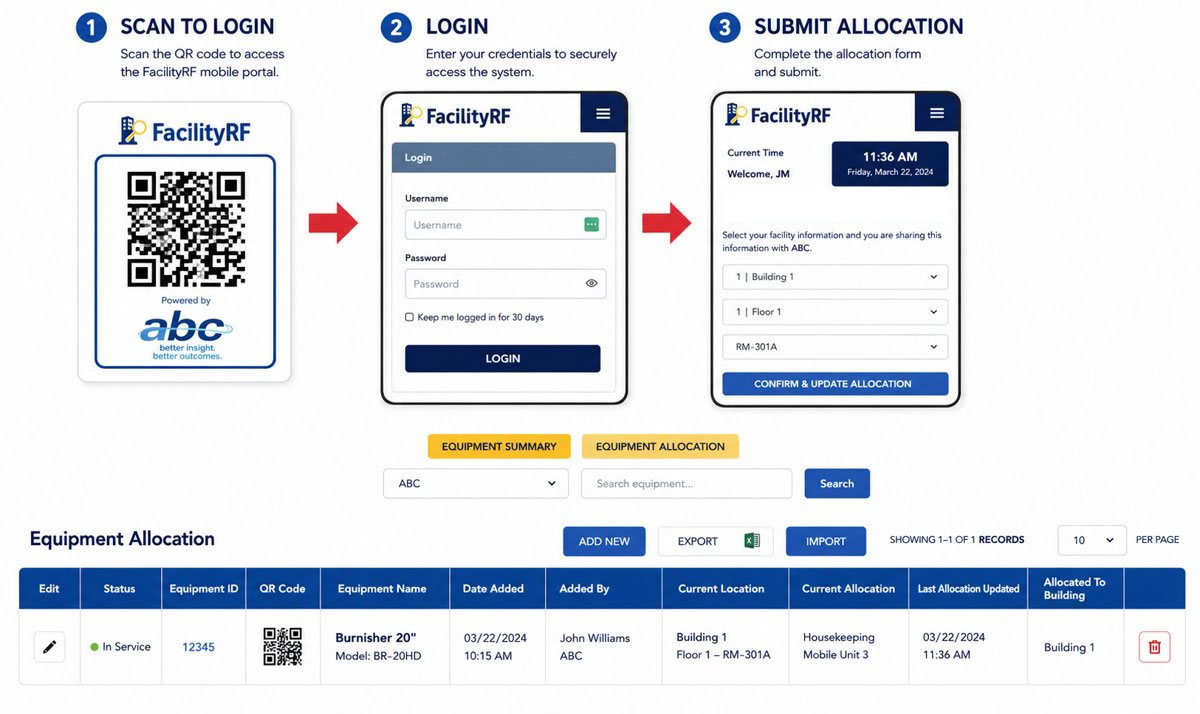
Users can use a template to import all equipment details, home base room, condition of equipment as well as images. A unique QR code is auto generated once an item is added that can be place on equipffsdfment or furndsdfiture
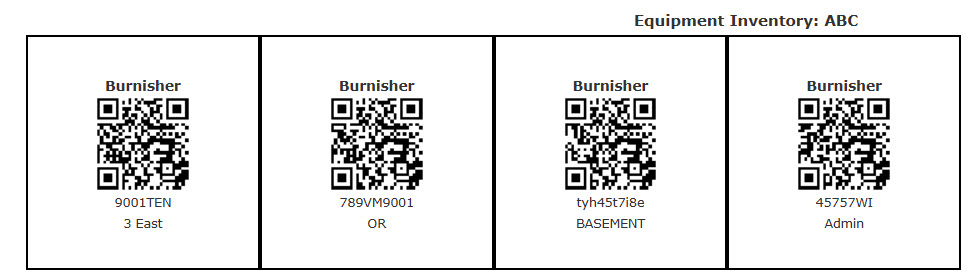
Users can export QR codes for all equipment to be placed on each piece of equipment. User can also export by equipment type. In this case, below, here are all the codes for the Burinishers
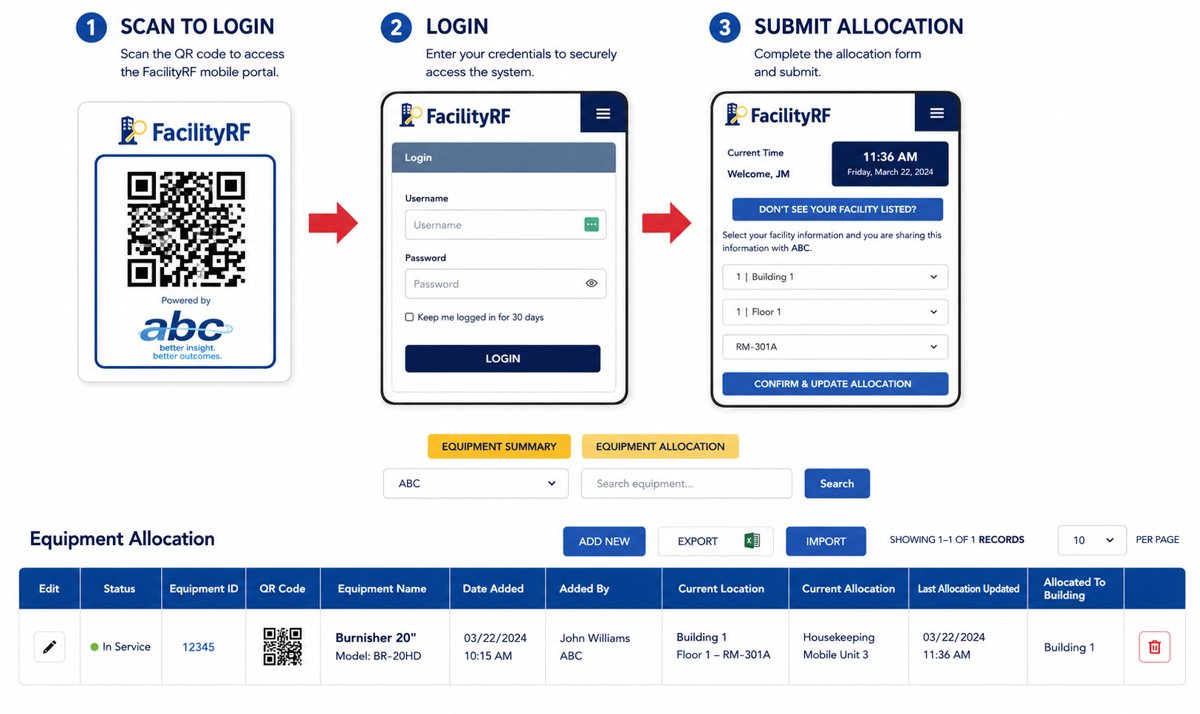
This program helps with equipment storage organization, less time out in service, and theft.
Floor techs and EVS staff scan these QR codes placed on equipment and then scan the code to check in or check out equipment. Automatic reminders can be sent to staff to return to the item.
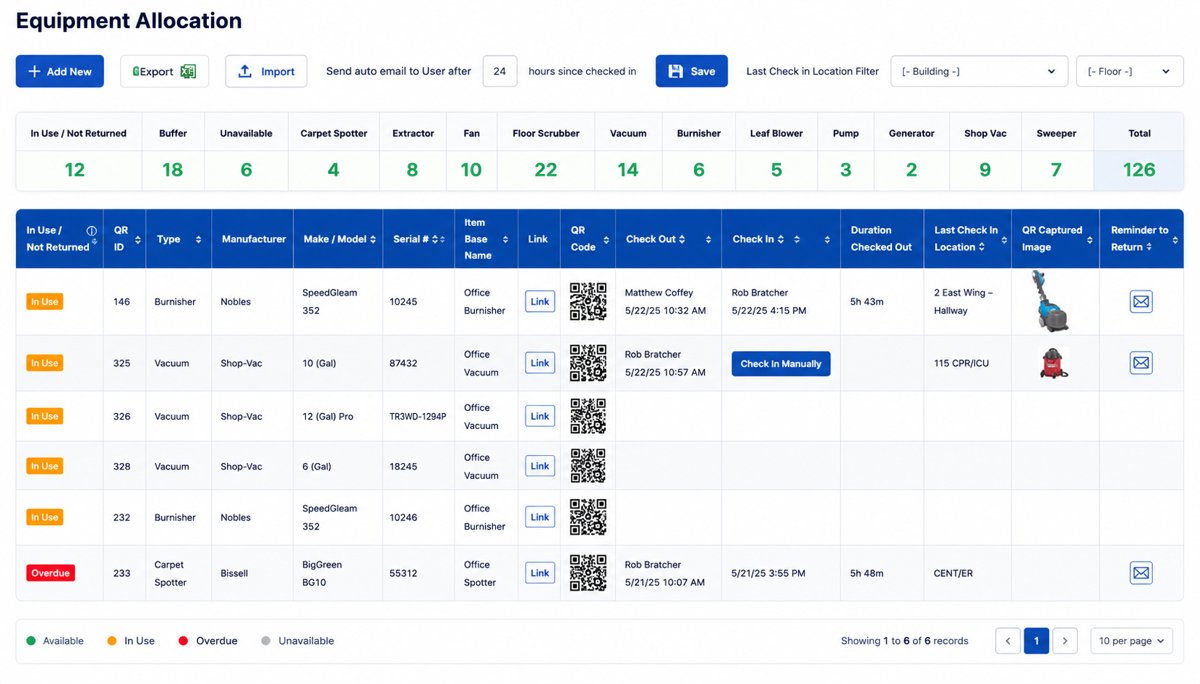
Staff can go to this Equipment Allocation page to see details of where and when the device was returned, how long it was in use and view images from the staff members of the device in the facility. Email reminders can be sent to the user to return the equipment, or an auto email can be sent to the user after <24> hours as a reminder to return
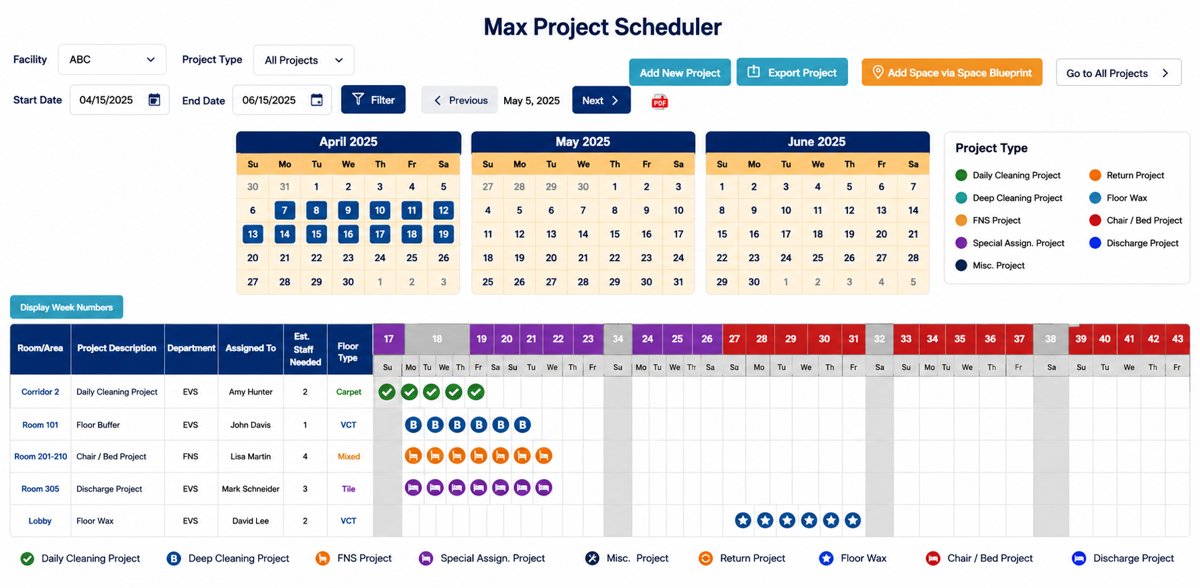
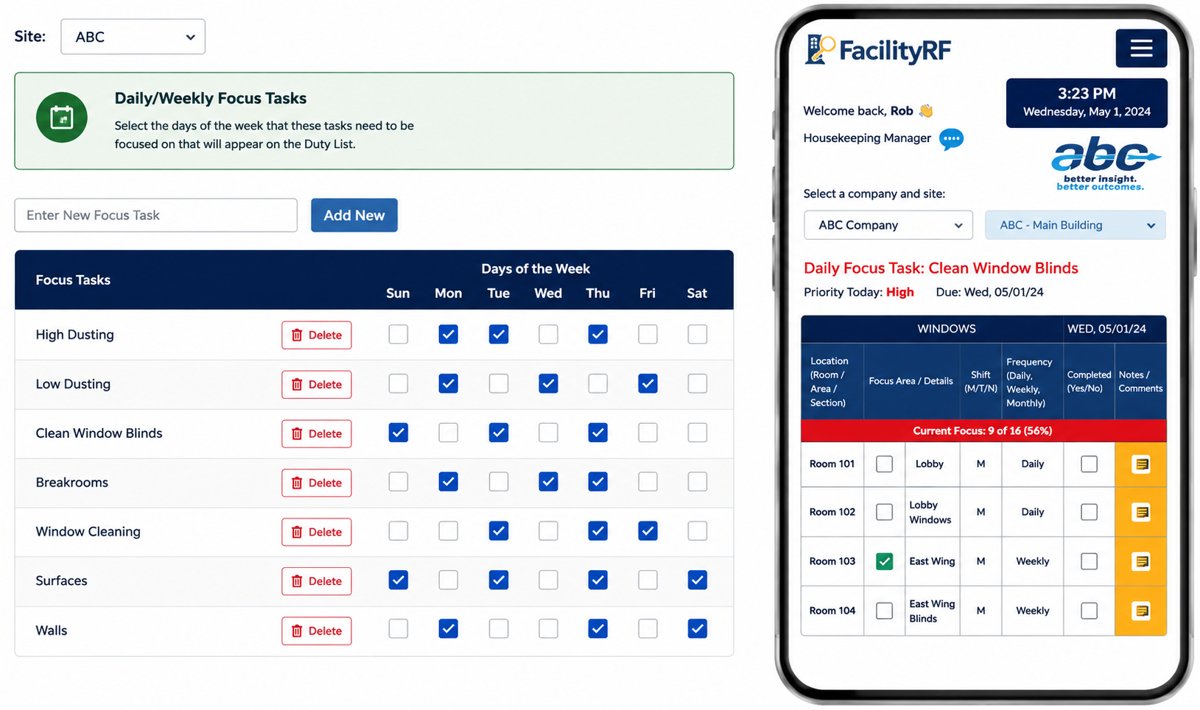
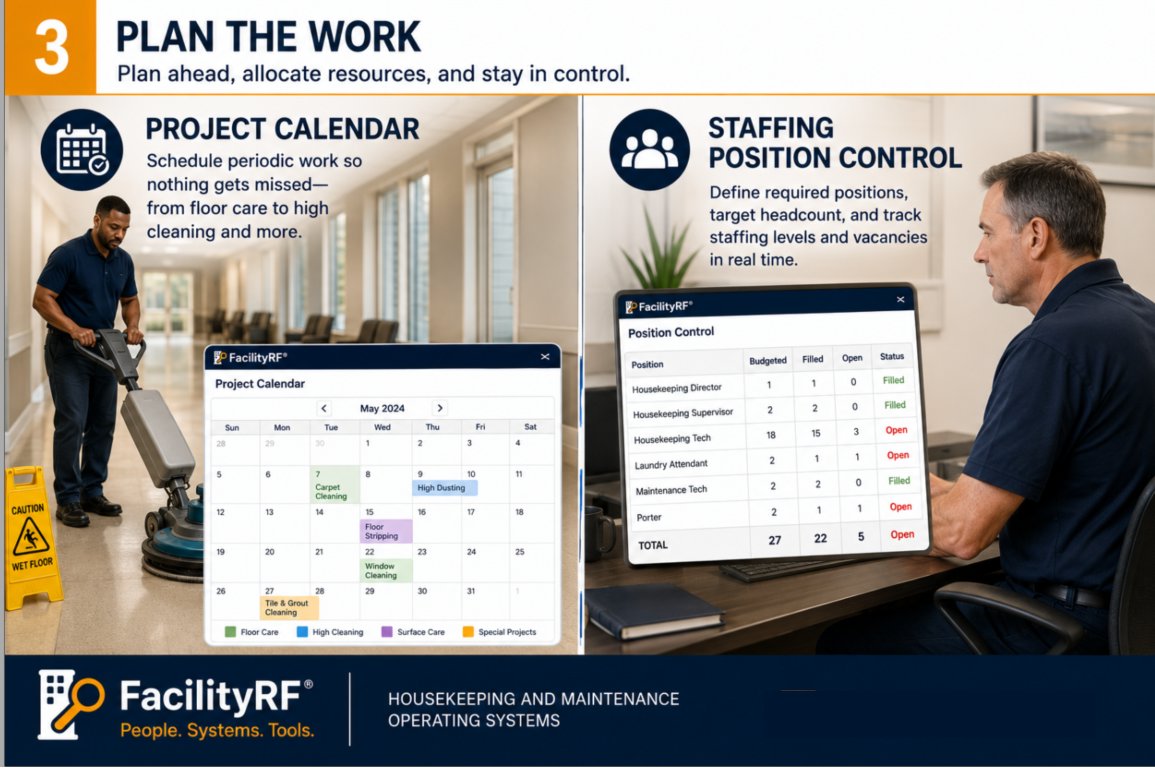
Directors can setup by site Daily/Weekly Focus tasks for housekeepers to concentrate on each day of the week as part of their daily routine cleaning.
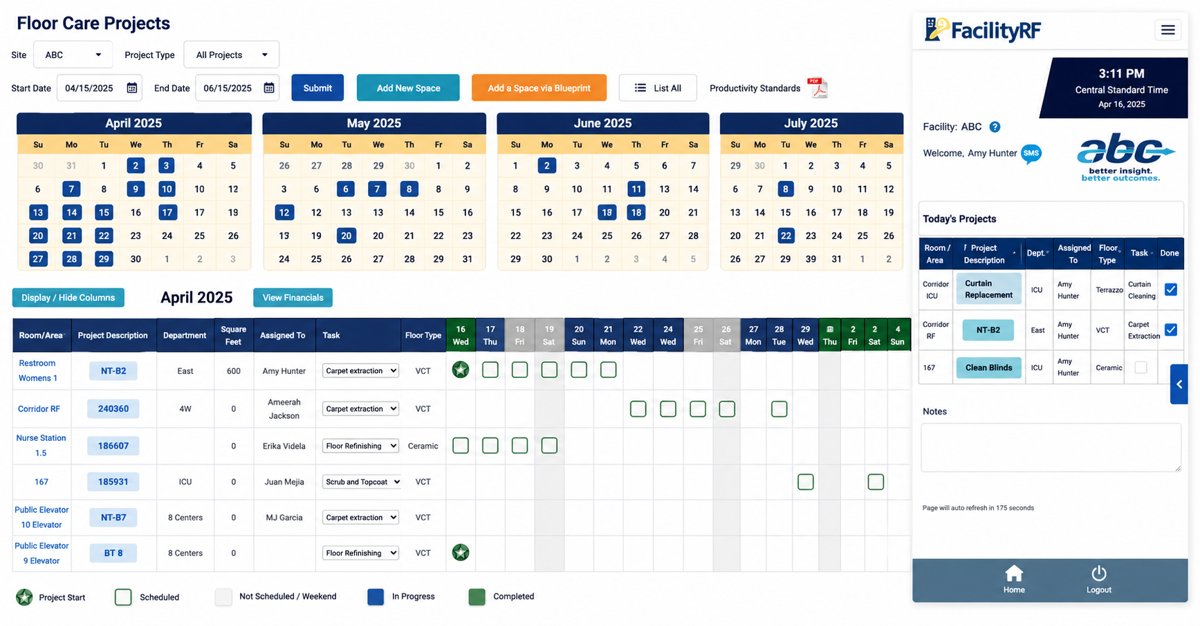
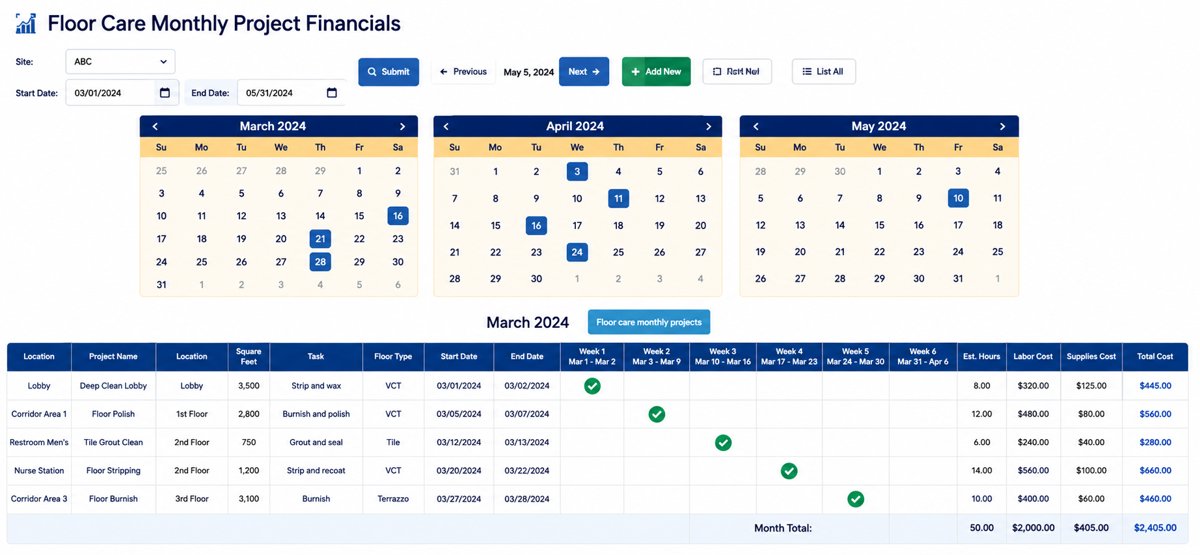
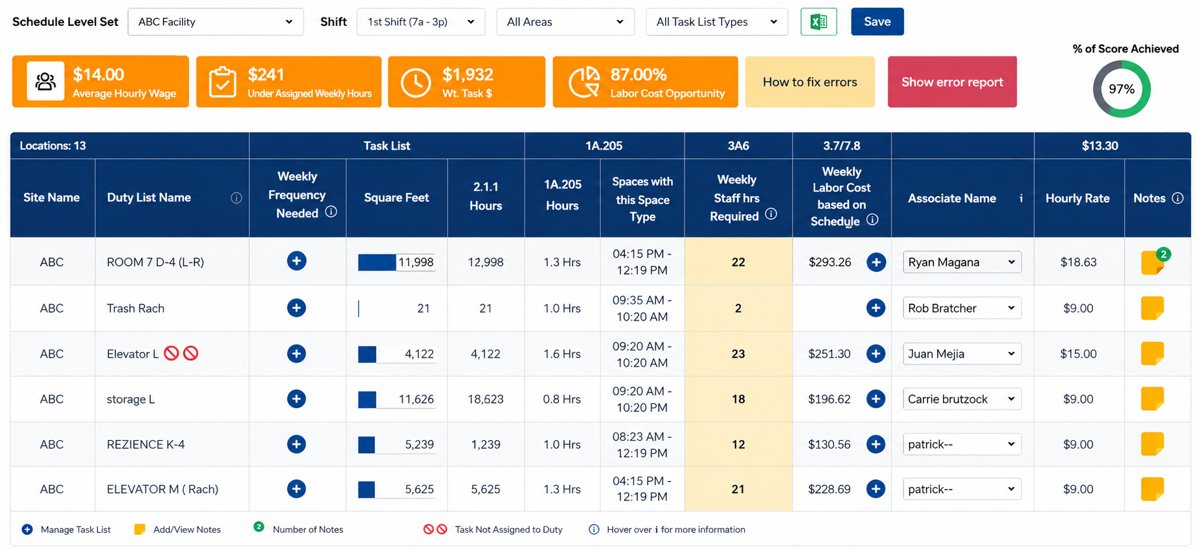
A way to analyze duty lists side by side to compare square footage cleaned, and the minutes over and under scheduled by shift
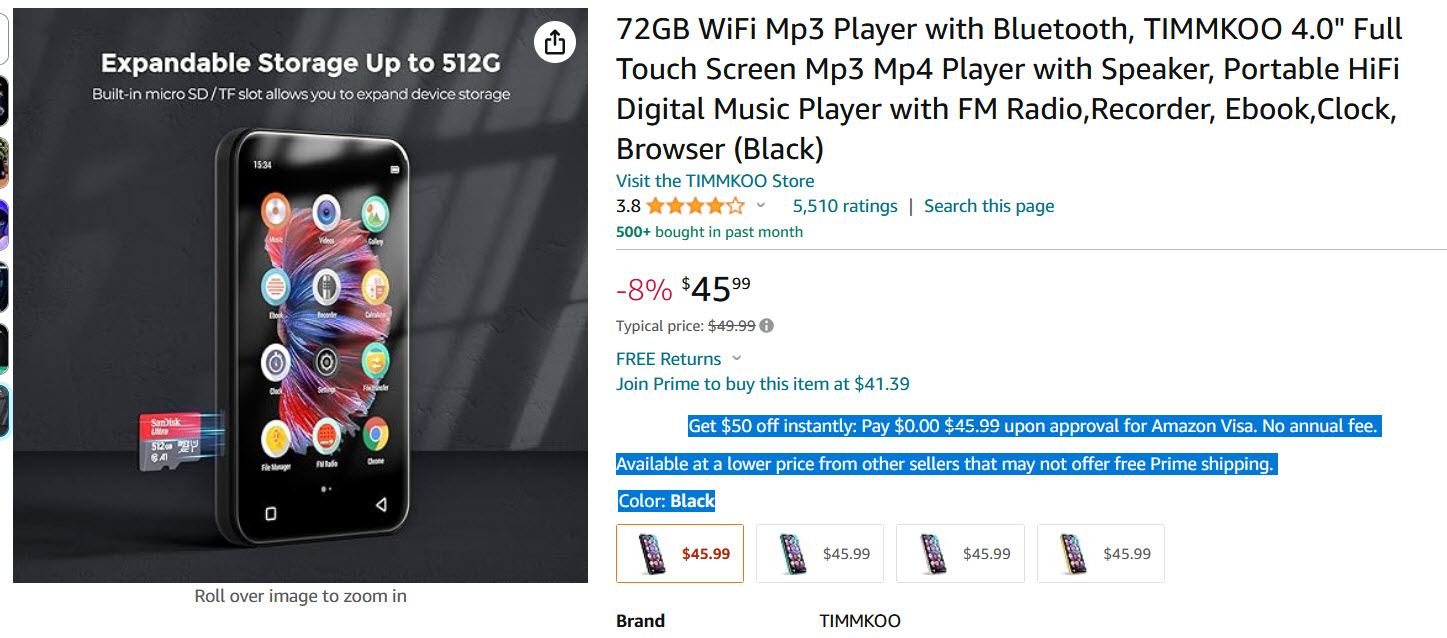
There are many affordable mobile device solutions on Amazon that are this size as well as 7" Android tablets.